

Bingo Britain App
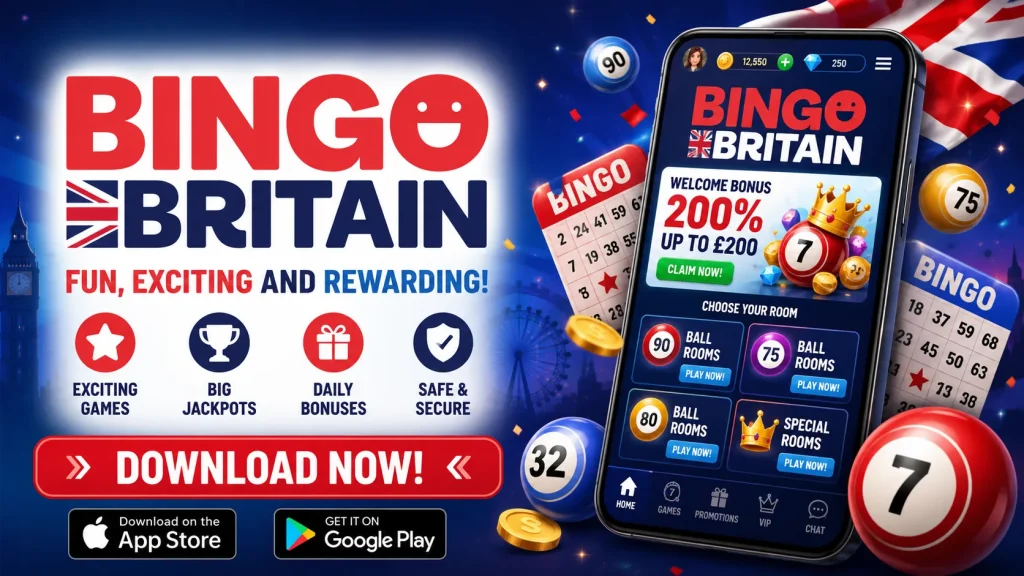
I built the Bingo Britain app for players who want the full casino floor in their pocket, without the compromises that usually come with a “mobile version.” Whether you’re waiting for a bus or settling in on the sofa, the Bingo Britain mobile experience gives you the same games, the same bonuses and the same account as our desktop site, just optimised for a smaller screen. If you’ve only ever played through a browser, downloading the app is the single biggest upgrade you can make to how you play with us.
This page walks you through everything practical: how to install the Bingo Britain app on iOS and Android, what your device needs to run it smoothly, how registration and your first deposit work, and what to do if something doesn’t go to plan during setup. I’ve tried to answer the questions I’d want answered before installing anything on my own phone.
Getting the Bingo Britain app onto your phone
Installing the BingoBritain app takes a few minutes, but the steps differ slightly depending on your device, mainly because Google’s own store policy restricts real-money gambling apps in the UK and elsewhere. That’s not a reflection on us — it’s simply how Android app stores are governed, so we distribute our Android build directly from our own site instead.
Android installation via APK
To install the Bingo Britain app on Android, open our site in your phone’s browser and tap the download prompt for the app. Because the file arrives outside the Play Store, your phone will likely ask you to allow installs from “unknown sources” — this is a standard Android security prompt, not a warning that anything is wrong. Approve it once, let the APK finish downloading, then open it and tap install. The whole process usually takes two to three minutes on a decent connection, and the file itself is a lightweight download, so it won’t eat into your data allowance the way some app-store games do.
Adding the app on iPhone and iPad
Apple’s App Store guidelines are similarly strict on gambling apps, so on iOS we offer a web-app you add straight to your home screen. Open Safari, go to our site, tap the share icon, then choose “Add to Home Screen.” This creates an icon that opens and behaves exactly like a native app — full screen, no browser bars, instant access to your account. It updates automatically whenever we roll out improvements, so you’re never stuck running an old version.
What your device needs to run it well
The Bingo Britain app is built on HTML5, which is the main reason it runs so consistently across different phones and tablets. In plain terms, that means one build adapts to your screen size and hardware rather than us having to maintain separate heavy apps for every device. You get near-native speed, smooth animations on slot reels and live tables, and games that load directly in-app without needing extra plugins or software. It also means lower battery drain and less data used per session compared with old-style downloadable casino apps.
| Requirement | Android | iOS |
|---|---|---|
| Minimum OS version | Android 8.0+ | iOS 13+ |
| Storage needed | Approx. 30–50MB | Minimal (web-app, no install size) |
| Connection | 4G or Wi-Fi recommended | 4G or Wi-Fi recommended |
| Install source | APK from our site | Add to Home Screen via Safari |
Why the app feels different from playing in a browser
You can absolutely play through your mobile browser, but the app closes small gaps that add friction over time. The lobby loads faster because assets are cached locally, navigation between game categories feels snappier, and you avoid the browser clutter of tabs, address bars and pop-up cookie banners eating into your screen. Notifications for deposit confirmations, bonus expiry and support replies also come through directly, so you’re not left refreshing a page.
Where the browser version and the Bingo Britain app genuinely converge is game selection and account features — nothing is stripped back or “lite.” Table limits, RTP figures, live dealer streams and your transaction history all match exactly what you’d see on desktop. The difference is purely in how comfortably it fits your hand and how quickly you can get from opening the app to spinning a reel or joining a bingo room.
Logging in and getting set up fast
Registration through the app takes roughly the same handful of steps as on desktop, just rearranged for a small screen: email, a secure password, date of birth and a few identity details, followed by the usual UK verification checks. I’d recommend uploading ID documents as soon as you register rather than waiting until your first withdrawal — it avoids delays later when you actually want your money out.
Once you’re set up, the Bingo Britain app supports fingerprint and Face ID login on compatible devices, plus a “stay logged in” option, so you’re not retyping a password every time you want to check a jackpot total. One-tap access matters more on mobile than people expect; it’s often the difference between opening the app for two minutes between tasks and not bothering at all.
Deposits and withdrawals from your phone
Mobile payments are where a good app really earns its place on your phone. Inside the Bingo Britain mobile app, you can save a payment method once and reuse it with one tap on future deposits, rather than re-entering card details every session.
- Debit cards (Visa, Mastercard)
- Apple Pay and Google Pay
- PayPal and other e-wallets
- Bank transfer via your banking app
| Method | Typical minimum | Withdrawal speed |
|---|---|---|
| Debit card | £10 | 1–3 business days |
| E-wallet | £10 | Same day to 24 hours |
| Apple Pay / Google Pay | £10 | Up to 24 hours |
| Bank transfer | £20 | 2–3 business days |
Withdrawal timing depends heavily on whether your identity verification is already complete, which is why I mentioned sorting it early. Once it is, e-wallet and card withdrawals in particular tend to move quickly, and you can track status directly from the app’s transaction history rather than emailing support to ask.
Games, live tables and mobile-only bonuses
The catalogue inside the BingoBritain app spans slots from major studios, table games like blackjack and roulette, live dealer rooms streamed in real time, and our bingo rooms across multiple ticket prices. A search bar and category filters let you jump straight to a provider or game type rather than scrolling endlessly, which matters far more on a 6-inch screen than on desktop.
We also run promotions specifically for app users — think free spins tied to app-exclusive push notifications, or early access to new game launches. As with every offer we run, wagering requirements, minimum deposits and expiry windows are stated clearly on the promotions page before you opt in, because I’d rather you know exactly what you’re signing up for than chase a vague headline number.
Keeping your account secure
Every session through the Bingo Britain app runs over encrypted connections, and our games use RNG-certified software audited for fairness. We hold the licensing required to offer real-money casino and bingo games to UK players, and that same regulatory framework requires us to make responsible gambling tools genuinely accessible, not buried in a menu.
From the app you can set deposit limits, take a short time-out, set up reality check reminders, or apply for self-exclusion — all without needing to contact support first, though our team is there via live chat around the clock if you’d rather talk it through. You can also review your full account settings and history any time by visiting Bingo Britain from either the app or desktop site.
Fixing common installation and login issues
If the Android install won’t proceed, double-check that “unknown sources” or “install unknown apps” is enabled for your browser in device settings — this is the most frequent blocker. If the app installs but won’t open, restarting your phone usually clears it. Login problems are often solved by confirming your password rather than relying on autofill, or by disabling biometric login and re-enabling it if fingerprint recognition stops working after an OS update.
Slow loading is almost always a connection issue rather than an app fault, given the lightweight HTML5 build — switching from Wi-Fi to mobile data, or vice versa, typically resolves it. If none of that helps, our support team can talk you through device-specific fixes in a few minutes over live chat.